Free · Chrome tab manager
Too many Chrome tabs? Find the right page without digging.
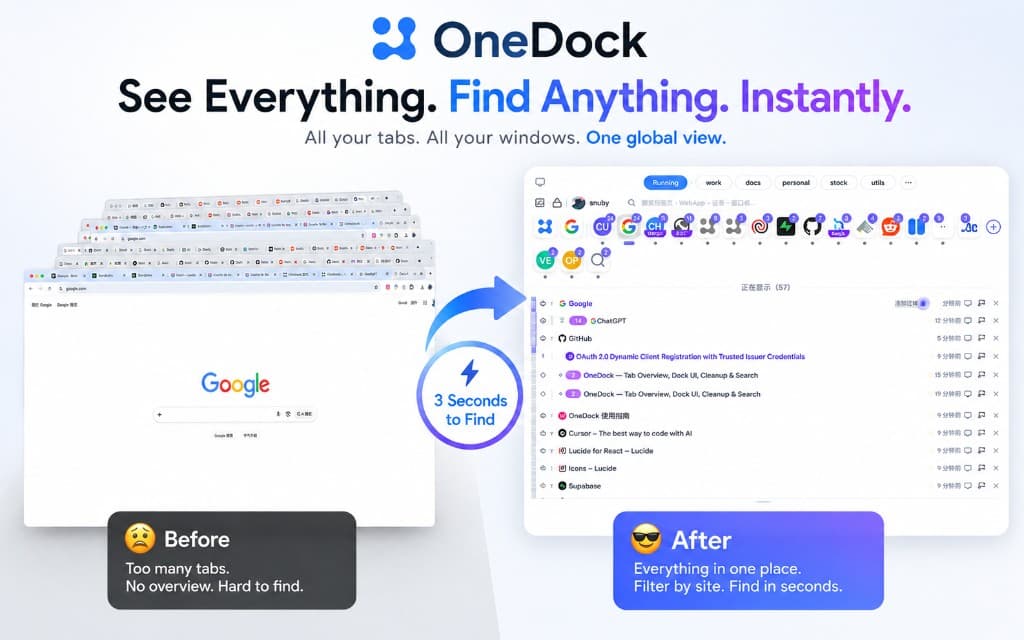
OneDock opens as a drawer on the page you are viewing. It brings tabs from every Chrome window into one list, grouped by website, so you can find, close, or put them to sleep in one place.
Made for people who keep dozens of tabs open while coding, researching, studying, or creating.

All windows
See every open tab in one list
Press the shortcut and the Drawer opens over your current page. Tabs from all Chrome windows appear in a readable list, grouped by website. Select any tab to switch to it.
- Open from any page with Option+Q on macOS or Alt+W on Windows and Linux
- Use the Minimap to move through a long tab list
- Filter, preview, and switch between browser windows
Find a page
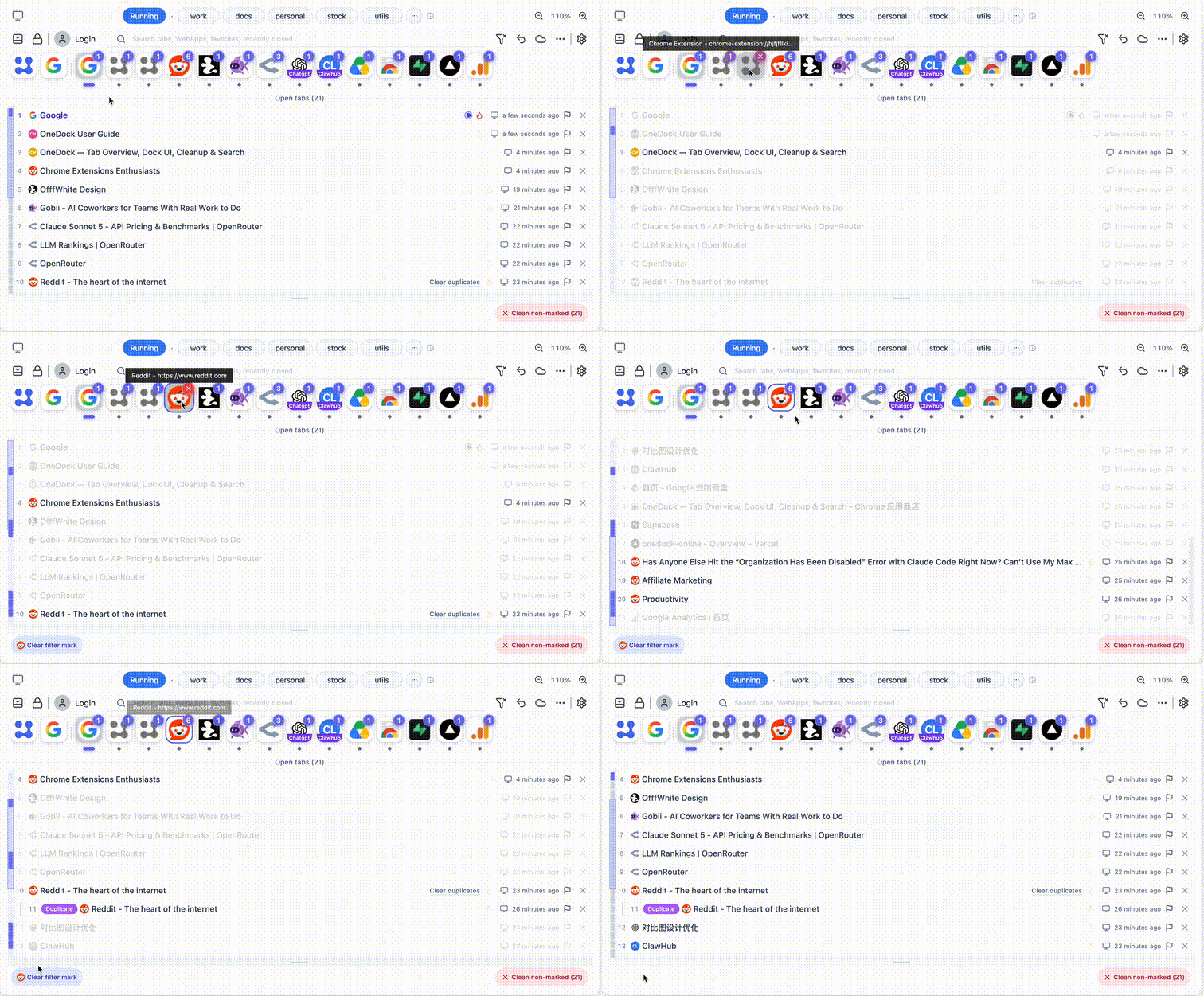
Start with the website, then choose the page
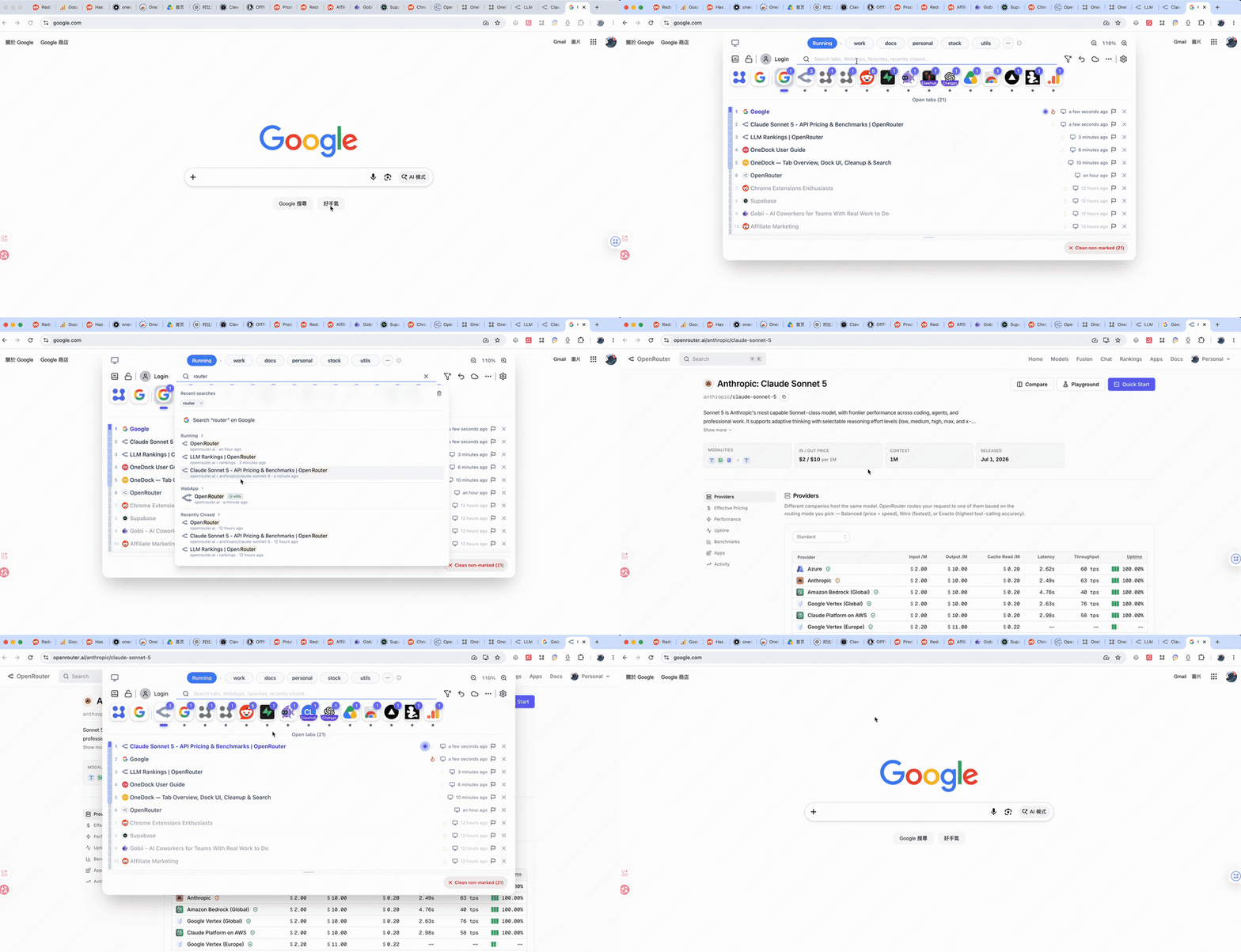
Move over a website in the Dock to show only its open tabs. If you remember a word from the title or address, use search instead.
- Search open tabs, WebApps, groups, favorites, history, and recently closed pages
- Switch to an open result or open a saved result in a new tab
Close tabs
Keep the important tabs, then clear the rest
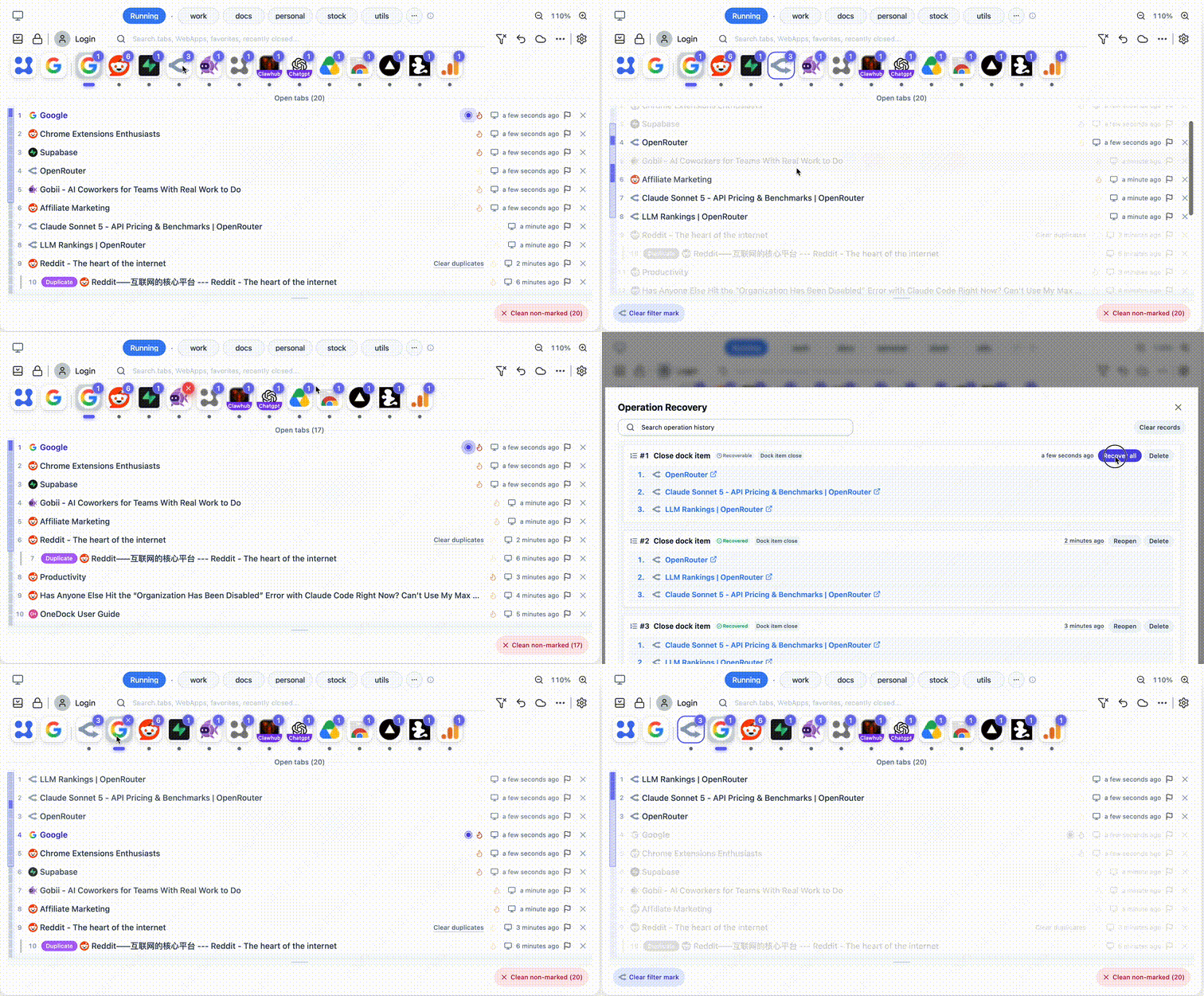
Mark tabs you still need as “close later,” then clean up by website, duplicates, or age. If a supported close was a mistake, you can reopen the page from the recovery center.
- Close tabs from one website, remove duplicates, or clear older tabs
- Pinned and “close later” tabs are skipped by supported bulk-cleanup actions
- Review supported recent closes and reopen pages from the recovery center
Save memory
Let unused tabs sleep instead of closing them
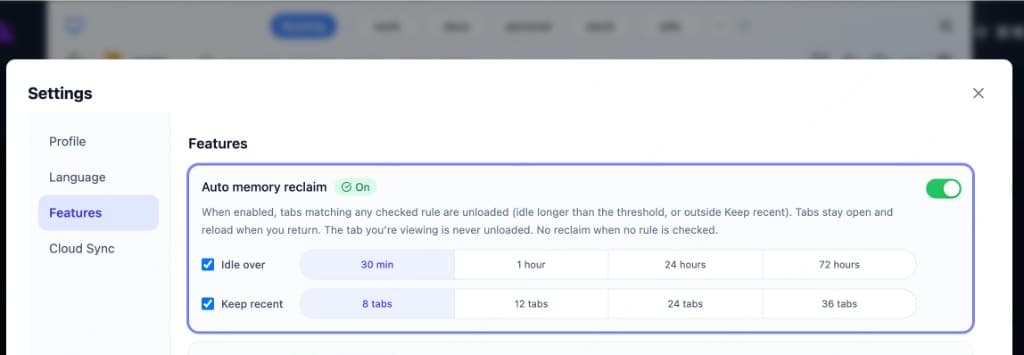
OneDock can release memory used by idle tabs. Sleeping tabs stay in the tab bar and reload when you return, so you keep the page without keeping it active in memory.
- Enabled by default: idle for over 1 hour and keep the 12 most recent tabs active
- Choose your own idle time and recent-tab limit
- The active tab in each window is never put to sleep
Sites you reuse
Keep frequent sites and pages without leaving every tab open
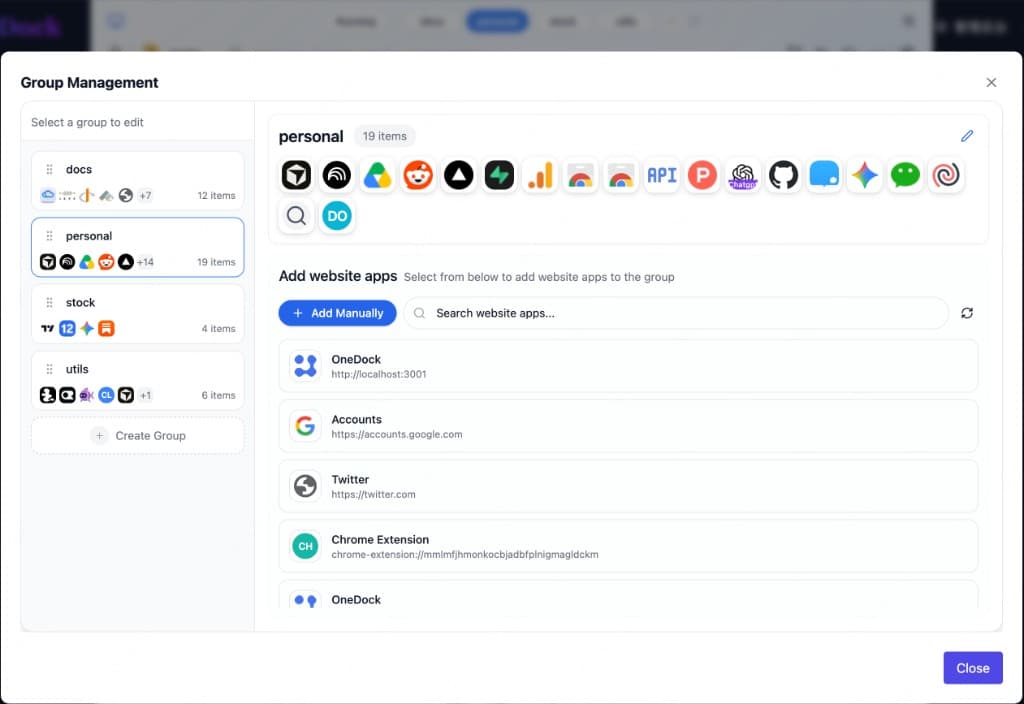
Pin websites to the Dock, organize them into groups, and save individual pages as favorites. They stay easy to reach even after you close today’s tabs.
- Create groups for work, study, or any other context
- Open a site menu to see its running tabs, favorites, and history
- Save an open page to favorites with one click
Google Drive backup
Back up your OneDock setup to your own Drive
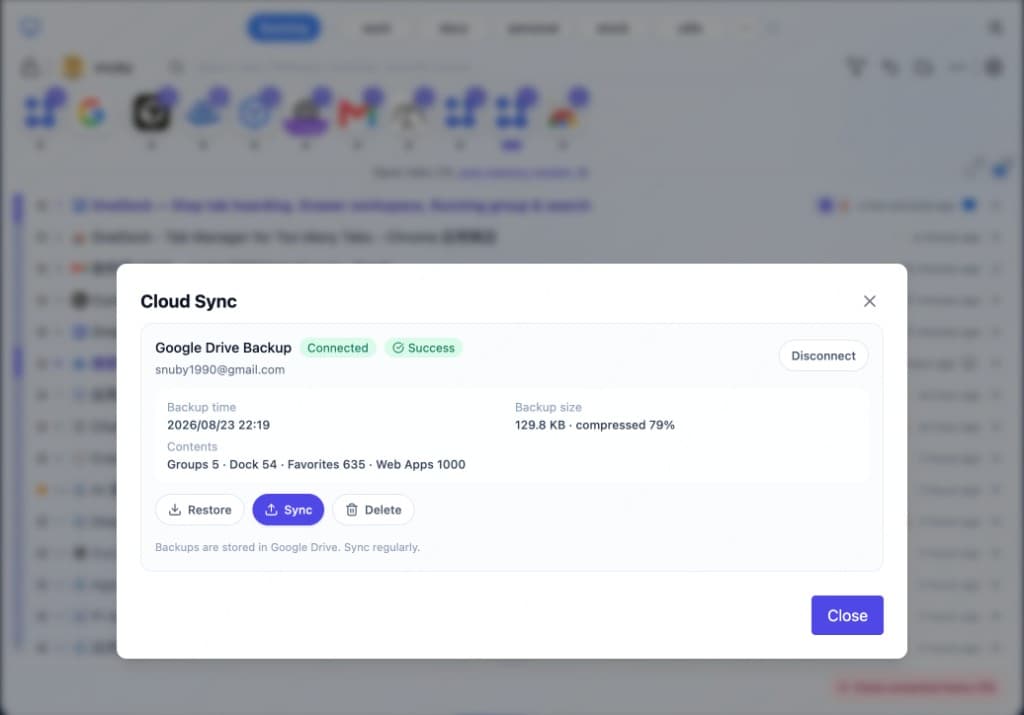
Save groups, favorites, site profiles, and preferences to your Google Drive app-data space, then restore them manually on another computer.
- Backup is optional and stored in your own Google Drive
- Current tabs, window layout, and recovery history are not included
OneDock for Chrome
Try OneDock with the tabs you already have open
Install it, open the Drawer, and see whether finding and cleaning up tabs takes less time.
Free · Optional Google Drive backup · Option+Q / Alt+W